QR codes for retail
Shops use QR codes on shelf-edge labels and swing tags to open product details, size guides and care instructions, and at the till point to ask for a Google review or a follow on Instagram. In the window a code takes passers-by to your online shop and opening hours when the door is shut, and on a market stall it can open your PayPal payment link. Every code goes straight to a page you already run, so the product page, review form or shop listing needs to exist before anything goes to print.
- Product detailsStandard
- Review usWith logo
- Follow usStandard
Use cases
What to put in each code, and the generator that makes it.
- Website
More than fits on a shelf-edge label
A shelf-edge label has room for a price and not much else. A small code links to the product page on your site with dimensions, ingredients or a size guide, so a customer can decide without hunting for a member of staff.
Website QR code generator - Google reviews
Reviews while the receipt prints
The few seconds at the card machine are when customers have a hand free. A small acrylic stand on the counter, linked to your Google review form, asks for a review at that moment. Leave out any reward for reviewing, which Google doesn't allow.
Google reviews QR code generator - Instagram
New stock on Instagram
Swing tags and carrier bags go home with the customer. A code on them opens your Instagram, where new arrivals and restocks get posted first.
Instagram QR code generator - PayPal
Taking payment on a market stall
At craft fairs and pop-ups without a card reader, a code for your PayPal.Me link lets customers pay from their own phone. Check the payment has landed in your PayPal app before you hand over the goods.
PayPal QR code generator - Link in bio
Selling while the shutters are down
A sticker in the window linked to a link-in-bio page gathers your online shop, opening hours and socials behind one code, so someone passing on a Sunday night can still buy or plan a visit.
Link in bio QR code generator - WhatsApp
Is it in my size?
A code by the fitting rooms or on the window display lets customers message the shop on WhatsApp to ask whether a size is in stock or to hold an item until they can come in.
WhatsApp QR code generator
Print and placement tips
How to size, place and print your codes so they scan first time.
- 01
Shelf labels need short links
Shelf-edge labels are read from about 30cm, so 2cm square is the smallest code worth printing there. A long web address makes a denser pattern that needs more room, so keep product links short.
Guide: What size should a QR code be? - 02
Window codes at eye level
Place a window code between 1 and 1.5 metres from the floor, on the inside of the glass. Down at the bottom of a display it ends up hidden behind stock and is awkward to scan from the pavement.
- 03
Tags that survive the fitting room
Swing tags get crumpled in bags and tugged on hangers. Use heavy card or a synthetic tag stock, and keep the code well clear of the punched hole and the string.
- 04
Logos eat into the pattern
A logo in the centre covers part of the code, which then relies on error correction to fill the gap. Keep the logo modest, and test the printed result on the smallest tag or label you plan to use.
Guide: How to add a logo to a QR code - 05
Link to the product, not the promotion
A code printed on packaging or a fixture will outlive this season's sale. Point it at the product or category page, which stays put, rather than a campaign page that comes down when the sale ends.
Guide: Static vs dynamic QR codes: which should you use?
Which style to choose
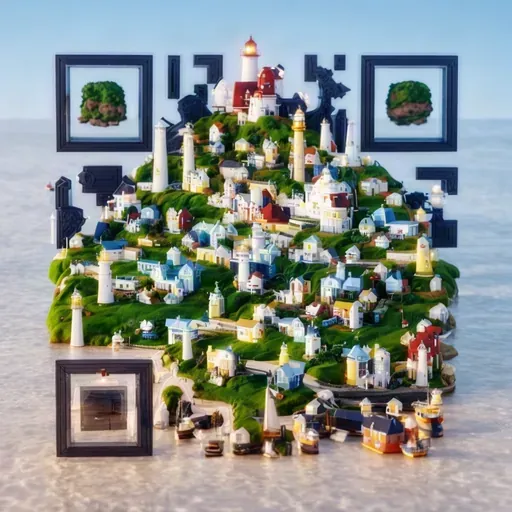
Standard codes are free and fit the tight spaces of retail: shelf-edge labels, swing tags and price tickets. A logo code (1 credit) belongs on the till point card and carrier bags, where customers handle it and it should look like part of your brand. AI art codes (5 credits) suit a window display or a seasonal campaign poster, where the code can become part of the visual merchandising.
Common questions
Can a code show the current price or stock level?
Only if the page it opens does. A Scandalous code holds a link, not live data, so if your product page shows stock, the code shows it too.
Can I see which shelf labels get scanned the most?
Not in Scandalous, which doesn't track scans. Give each link its own tag, such as ?utm_source=shelf or ?utm_source=window, and compare the visits in your website analytics.
Can a QR code take card payments?
Not on its own. A PayPal or similar payment link code opens a payment page on the customer's phone. For contactless card payments you still need a card reader.
What happens to my labels if we rebuild our website?
Printed codes keep opening the old addresses, because a code can't be repointed. Ask whoever builds the new site to redirect the old product addresses to the new ones, and every label keeps working.
Is it worth putting a code on every product?
Standard codes are free, so cost isn't the limit. Focus on products where customers ask the same questions, like sizing, ingredients or assembly, and keep a note of which code goes where.
your first code is free.
sign up with your email and start making codes. add a logo or ai art whenever you need it.
get in, it's free