QR codes for product packaging
Brands use QR codes on product packaging to open set-up guides and how-to videos, link to ingredients, care instructions or recipes, and send customers to the companion app. A code on the box or label can also start an email to customer support with the product name already filled in. Packaging is printed in long runs and sits in cupboards for years, so each code should point at a page you control rather than a link that might change.
- How to useStandard
- Get helpStandard
- Get the appWith logo
Use cases
What to put in each code, and the generator that makes it.
- YouTube
Set-up videos inside the lid
Assembly and set-up are easier to show than to describe. A code printed inside the lid or on the quick start card opens a short video on YouTube at the moment the customer is staring at the parts.
YouTube QR code generator - Website
The full instructions, ingredients or recipes
A pack has room for a few lines. A link code opens the product's page on your site, with the full manual, care instructions, allergen detail or recipes, in any language you publish.
Website QR code generator - Email
Support emails that name the product
An email code with a subject like "Help with my K2 kettle" opens a ready-written email to your support address, so the first message already says which product it's about. Add a prefilled line asking for the batch or serial number.
Email QR code generator - App Store
Downloading the companion app
For products that pair with an app, a code on the box opens your App Store listing, ideally through a page that sends Android users to Google Play.
App Store QR code generator - SVG
Vector files for the artwork
Standard and logo codes download as SVG, so your designer can place them in the packaging file at any size and the printer gets crisp edges at press resolution.
SVG QR code generator - Transparent
Codes on kraft, foil and coloured sleeves
A transparent background lets the code sit directly on a coloured sleeve or kraft board without a white box. The board behind it still needs to be light enough, and the modules dark enough, for a camera to tell them apart.
Transparent QR code generator
Print and placement tips
How to size, place and print your codes so they scan first time.
- 01
Keep it clear of folds, flaps and bleed
Place the code on a flat panel well inside the dieline, away from creases, glue flaps and the bleed area. A code that crosses a fold or gets trimmed at the edge won't scan, and it needs a clear margin on every side.
- 02
Size for a pack in the hand
Packaging is scanned from 15 to 30cm, so 2cm square is a sensible minimum for a short link, and 2.5cm or more if it sits under a gloss varnish. Long URLs make denser codes that need more space, so keep the link short.
Guide: What size should a QR code be? - 03
Be careful on curved bottles and cans
On a bottle, jar or can the code bends away from the camera at its edges. Keep it small relative to the curve, place it on the flattest part, and choose a higher error correction level so scuffs and distortion are less likely to stop it scanning. Test on a proof wrapped around the real container.
Guide: QR code error correction levels: L, M, Q and H explained - 04
Sign off the code on a press proof
Metallic inks, clear film, embossing and low-contrast brand colours can all defeat a camera. Scan the code on a physical proof on the actual board or label stock with a few different phones before approving the run. On clear film, print a white ink layer behind the code.
- 05
Plan for a print run that lasts years
Codes are static, and old stock can sit in warehouses and cupboards long after a campaign ends. Point each code at a stable address you own, like yourbrand.com/k2, and change what that page shows instead of reprinting packaging.
Guide: Static vs dynamic QR codes: which should you use?
Which style to choose
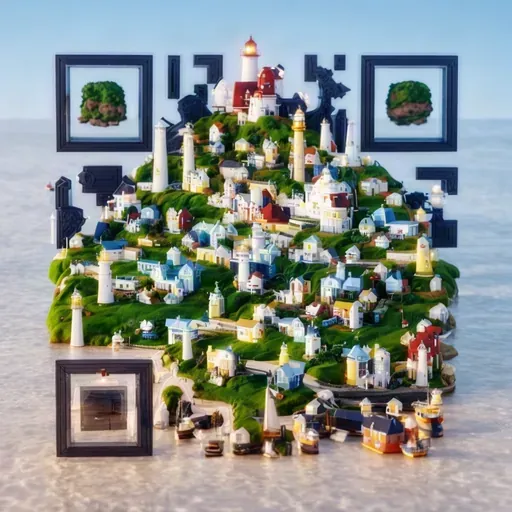
Standard codes are free, download as SVG and drop straight into packaging artwork, so they suit most boxes, labels and inserts. A logo code (1 credit) also comes as SVG and puts your brand mark in the centre, which works well on a front panel where the code is seen on shelf. AI art codes (5 credits) are PNG only, so keep them for printed inserts, shelf wobblers or a launch campaign rather than dieline artwork that needs vector files.
Common questions
Can I change where the code goes after the packaging is printed?
No. Scandalous codes are static, so the link is fixed in the printed pattern. Link to a page on your own site that you can update or redirect, and the code on every printed pack keeps working.
What file should I send to our designer or printer?
SVG. Standard and logo codes download as SVG, which scales to any size without blurring and drops into packaging artwork. AI art codes only come as PNG, so they aren't the best choice for dieline artwork.
Can a QR code replace the information printed on the pack?
It shouldn't replace anything the law requires on the pack. Use the code to add detail that doesn't fit, like full instructions, recipes or translations, and check labelling requirements with whoever advises you on them.
Can I track scans by product or print run?
Scandalous doesn't track scans. Give each product or run its own code with a tag in the link, such as ?utm_source=pack&utm_campaign=k2-2026, and your analytics will show visits from each one.
Will the code still work in five years?
Yes. Codes never expire and don't rely on Scandalous to keep working. As long as the page it points to is still there, the code works.
your first code is free.
sign up with your email and start making codes. add a logo or ai art whenever you need it.
get in, it's free