QR codes for business cards
A QR code on a business card can save your name, number and email straight into someone's phone contacts, or open your LinkedIn profile, portfolio or booking page. It fixes the oldest problem with paper cards, which is that they end up in a drawer and nobody types the details in. Put a contact card code on the back and your web address in text on the front, and the card keeps working long after the handshake.
- Save contactStandard
- LinkedInStandard
- Book a callWith logo
Use cases
What to put in each code, and the generator that makes it.
- Contact card
The whole card saved in one scan
A contact card code holds your name, job title, company, mobile, email and website. Scanning it opens the phone's new contact screen with every field filled in, and it works without signal because the details are stored in the code itself.
Contact card QR code generator - LinkedIn
A LinkedIn profile that outlives the card
For recruiters and people you meet at networking breakfasts, connecting on LinkedIn is often the follow-up they actually want. Your profile stays current when you change role, even if the card in their wallet doesn't.
LinkedIn QR code generator - Calendly
A call booked before they forget
Consultants, coaches and freelancers can link the card to a Calendly page, so a promising chat at an event becomes a meeting in the diary that evening rather than an email nobody gets round to.
Calendly QR code generator - Website
The portfolio, not just the job title
Photographers, illustrators and architects can link to their best work. A short address like yourname.com/work keeps the pattern simple and keeps working when you rebuild the site.
Website QR code generator - WhatsApp
Photos of the job for a quote
Plumbers, electricians and decorators can add a WhatsApp code, so a customer can send photos of the leaking tap or the damp patch and get a rough quote without a visit.
WhatsApp QR code generator
Print and placement tips
How to size, place and print your codes so they scan first time.
- 01
2cm is the floor
A card is held 20 to 30cm from the phone, so a 2cm code is enough for a short link. A contact card with six fields makes a denser pattern and is happier at 2.5 to 3cm, which usually means it gets the back of the card to itself.
Guide: What size should a QR code be? - 02
Trim the contact card
Every field you add makes the code busier and harder to scan small. Leave out the landline, the second mobile and the full postal address unless people really use them. Your website can carry the rest.
Guide: How to make a QR code that always scans - 03
Keep foil and spot UV away from it
Foil, spot UV and soft-touch laminate look great on a card but catch the light or soften edges. Print the code in flat ink on an unfinished area, and scan a printed proof before ordering 500.
- 04
Send the printer an SVG
Download the code as SVG and place it in the card artwork, so it prints crisply at any size. Keep the white border it comes with, and keep the whole code at least 3mm inside the trim line.
- 05
Reprint when your details change
Codes are static, so a contact card code fixes your details at print time. That's rarely a problem, since a new number means new cards anyway. For link codes, use a page you control rather than a profile you might close.
Guide: Static vs dynamic QR codes: which should you use?
Which style to choose
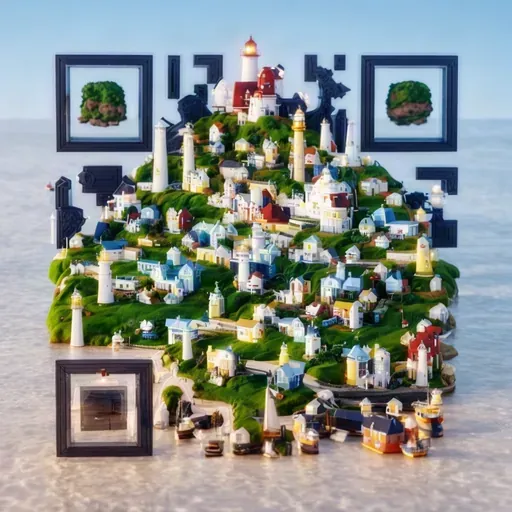
Standard codes are free and look sharp printed in a single colour from your card design. A logo code (1 credit) puts your mark in the centre, but a contact card code is already dense, so either leave the logo off small vCard codes or give them a little more room. AI art codes (5 credits) can fill the back of a card for creatives who want something people keep; they download as PNG at up to 2048 pixels, which is plenty for an 85 by 55mm card.
Common questions
Should I use a contact card code or a link code?
A contact card code saves your details straight into the phone's contacts and works without signal. A link code opens a page, such as LinkedIn or your website, which can show more and stay up to date. Many people put the contact card on the back and their web address in text on the front.
Does a contact card code work on iPhone and Android?
Yes. The built-in camera on both recognises contact card (vCard) codes and offers to create a new contact with the details filled in.
Can I update my details after the cards are printed?
No. The details are stored in the printed code, so a new number means a new code and a new print run. If your details change often, use a link code to a page you keep up to date instead.
Can I make codes for the whole team?
Yes. Invite your team to your organization and everyone can make codes, including their own contact card. Standard codes are free and logo codes use the organization's shared credits. An AI assistant connected over MCP can also make a contact card for each person on a list.
Will I know who scanned my card?
No. Scandalous doesn't track scans, and a contact card code doesn't send anything anywhere. You'll find out when they get in touch.
your first code is free.
sign up with your email and start making codes. add a logo or ai art whenever you need it.
get in, it's free