QR codes for real estate
Estate agents use QR codes on for-sale boards, window cards and printed brochures to open the full listing, book a viewing or save the negotiator's contact card in one scan. Letting agents and private sellers put them on to-let boards and leaflets in the same way, with extra codes for directions to the property or a message to the branch out of hours. Because a printed code always opens the same address, link each one to a property page you control so it still lands somewhere useful after the sale completes.
- Full listingStandard
- Save my detailsWith logo
- Book a viewingStandard
Use cases
What to put in each code, and the generator that makes it.
- Website
The full listing from the for-sale board
Boards get read from the pavement, often by someone walking the dog on a Sunday. A link code on the rider panel opens the property page with photos, floor plan and EPC, so they don't have to remember your branch name and search for it later.
Website QR code generator - Contact card
Negotiator details saved in one step
A contact card code on brochures and the back of your business card saves your name, mobile, email and branch address straight into the buyer's phone, instead of them copying a number off a photo of the board.
Contact card QR code generator - Calendly
Viewing slots outside office hours
If you take viewing requests through a booking page such as Calendly, a code on the window card lets buyers choose a slot on a Sunday evening when the branch is shut. If you don't, link to the viewing request form on your own site.
Calendly QR code generator - Google Maps
Directions to an open house
New-build plots and farmhouses down a shared track are hard to find from a postcode. A Google Maps link on the open house leaflet drops a pin on the right front door.
Google Maps QR code generator - WhatsApp
Questions about a property in the window
A WhatsApp code on the office door lets people message the branch about a home they've spotted in the window after closing. The team picks the conversation up in the morning with the property already named.
WhatsApp QR code generator - YouTube
Walkthrough video beside the floor plan
If you film a tour of each home, a code next to the floor plan in the brochure opens it on YouTube, so buyers can check the layout again before a second viewing.
YouTube QR code generator
Print and placement tips
How to size, place and print your codes so they scan first time.
- 01
Big enough to scan from the pavement
As a rough guide a code scans from about ten times its width. Someone standing on the pavement 2 to 3 metres from a board needs a code of 25 to 30cm on the rider, while a window card read through the glass at arm's length is fine at 5cm.
Guide: What size should a QR code be? - 02
Boards live outdoors for months
Print board codes onto correx or aluminium composite with UV-stable inks. Paper stickers peel in the rain and fade to grey in the sun, and a faded code won't scan.
- 03
Beat the glare on window cards
Branch windows reflect the street, especially in low afternoon sun. Mount cards flat against the glass, use matt stock, and check them from the pavement at a few different times of day.
Guide: How to make a QR code that always scans - 04
Give every property a permanent page
The address is baked into the printed pattern, so a board code can't be repointed later. Keep each property's page live after it sells, showing a sold notice and links to similar homes, rather than letting it fall through to an error page.
Guide: Static vs dynamic QR codes: which should you use? - 05
Print the address next to the code
Add the property address and a short action under each code, like "Scan for photos and floor plan". Buyers walking a street of boards can then tell at a glance which home the code belongs to.
Which style to choose
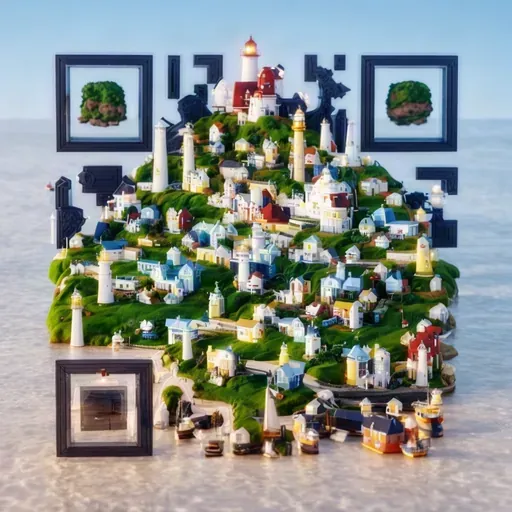
Standard codes are free and suit window cards, brochures and viewing sheets that change with every listing. A logo code (1 credit) carries your agency's mark onto the for-sale board, so it reads as part of your branding and a plain sticker over it looks out of place. AI art codes (5 credits) are best kept for a branch window display or a new development launch, where there is room for something decorative; they download as PNG only, so ask your board printer whether that works at the size you need.
Common questions
Can I change where a board code points after the house sells?
No. The link is part of the printed pattern and can't be redirected. If the code points to a page on your own website, you can change what that page shows, for example a sold notice with similar properties.
Can Scandalous host my listings or brochures?
No. Scandalous only makes the code. Keep the listing on your website, a property portal or a file host, then make a link code that points to it.
Can I link straight to my Rightmove or Zoopla listing?
Yes, any web address works. Portal listings disappear or change address when a property is withdrawn or relisted, though, so a page on your own site is the safer choice for a board that may stay up for months.
Will I know how many buyers scanned the board?
Scandalous doesn't track scans. Add a tag such as ?utm_source=board to the link and your website analytics will show board visits separately from the window card or brochure.
Do the codes stop working if a property takes a year to sell?
No. Codes never expire, and they keep working for as long as the page they point to stays online.
your first code is free.
sign up with your email and start making codes. add a logo or ai art whenever you need it.
get in, it's free