QR codes for restaurants
Restaurants use QR codes to open the menu on a diner's phone, connect guests to Wi-Fi without anyone spelling out a password, and ask for a Google review while the meal is still fresh in their mind. Each code is a shortcut to something you already have, like the menu page on your website, your booking system or your review profile. Print them on table tents, bill folders and the front window, and they keep working for as long as the link behind them does.
- MenuStandard
- Guest Wi-FiStandard
- Leave a reviewWith logo
Use cases
What to put in each code, and the generator that makes it.
- Website
Open the menu at the table
A link code on the table tent opens the menu on your website, or a PDF you host, in the diner's browser. Keep a few printed menus for guests who would rather not use their phone.
Website QR code generator - Wi-Fi
Guest Wi-Fi without the password chat
A Wi-Fi code joins the network in one tap on iPhone and Android, so staff aren't spelling out a password at every table. Use your guest network, never the one your till and card machines run on.
Wi-Fi QR code generator - Google reviews
Reviews while they're still in their seat
Link to your Google review form and put the code in the bill folder or on the receipt, when a happy diner has a minute to spare. Ask politely: Google's rules don't allow discounts or freebies in exchange for reviews.
Google reviews QR code generator - Website
Bookings from the front window
When you're closed or full, a code on the door or window takes passers-by to your booking page, whether that's your own site or a platform like OpenTable.
Website QR code generator - Phone
Takeaway orders by phone
On takeaway leaflets and bags, a phone code dials you directly, which beats squinting at a number on a crumpled flyer.
Phone QR code generator - Instagram
Specials on Instagram
A small code by the counter or on takeaway packaging sends regulars to your Instagram, where new dishes and tonight's specials live.
Instagram QR code generator
Print and placement tips
How to size, place and print your codes so they scan first time.
- 01
Size it for the table
A table tent is read from 30 to 50cm away, so make the code at least 3cm square and ideally 4cm. Leave a clear white border around it so the camera can find the edges.
Guide: What size should a QR code be? - 02
Use wipe-clean materials
Tables get wiped down many times a service. Laminated cards, acrylic stands and vinyl stickers survive cleaning spray. A code printed on a paper menu won't last the week.
- 03
Plan for dim lighting
Candlelit dining rooms make phone cameras struggle. Stick to dark modules on a light background, choose a matt finish over gloss that catches reflections, and go a size bigger than you think.
Guide: How to make a QR code that always scans - 04
Link to a page, not a file
Codes are static: the link is part of the pattern and can't be redirected later. Point the code at a page you control, like yoursite.com/menu, rather than a file such as menu-spring-v3.pdf, and the same code survives every menu change.
Guide: Static vs dynamic QR codes: which should you use? - 05
Say what the code does
Print a short line under each code, like "Scan for the menu" or "Scan to join Wi-Fi". People scan more readily when they know where it goes.
Which style to choose
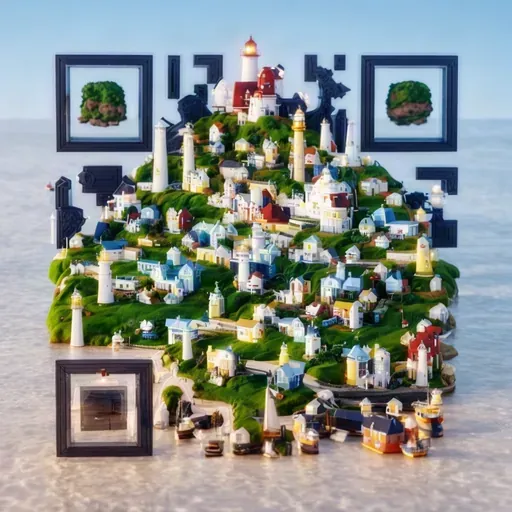
Standard codes are free and do the job on table tents and receipts. A logo code (1 credit) puts your mark in the middle, so diners can tell the code is really yours and a fake sticker over it stands out. AI art codes (5 credits) suit a menu cover or front window, where the code can be part of the décor.
Common questions
Can Scandalous host my menu?
No. Scandalous makes the code, not the menu. Put your menu on your website, a file host or your ordering platform, then make a link code that points to it.
What happens to the code when my menu changes?
If the code points to a page you update, nothing: the same code shows the new menu. If it points straight to a file and that file's address changes, you'll need a new code. Codes never expire, so a stable link is all you need.
Can I see how many people scanned the menu code?
Scandalous doesn't track scans, because the code opens your link directly with nothing in between. Add a tag such as ?utm_source=table to the link and your website analytics will show the visits.
Will the Wi-Fi code work on every phone?
The built-in camera on iPhones and most Android phones recognises Wi-Fi codes and offers to join the network. A few older phones need a separate QR scanner app.
How do I stop people sticking fake codes over mine?
Print codes into the table tent or menu rather than using loose stickers, use a logo code so a plain one stands out, and check them when you open each day.
your first code is free.
sign up with your email and start making codes. add a logo or ai art whenever you need it.
get in, it's free