QR codes for events
Event organisers use QR codes to put the running order and set times on every phone, get crew and press onto the right Wi-Fi network, and send drivers to the correct car park entrance. Codes on wristband tags, lanyards, the stage screen and the info point also open the event app, the line-up playlist and a lost property email, which answers the questions stewards would otherwise hear all day. They are static and never expire, so the same banners can come out of storage next year as long as the links behind them still make sense.
- Set timesStandard
- Crew Wi-FiStandard
- Get the appWith logo
Use cases
What to put in each code, and the generator that makes it.
- Website
Set times on the wristband tag
Running orders slip on the day. A code on the wristband tag, lanyard or printed programme links to the timetable page on your site, so you update the page when a set moves and the printed code stays exactly as it is.
Website QR code generator - Wi-Fi
A separate network for crew and press
The production office and press tent need Wi-Fi that the public can't find. A code on the crew noticeboard or press desk joins it in one tap. Make one code per network, and reprint if you change a password.
Wi-Fi QR code generator - App Store
The event app before the gates open
If your event has its own app, a code on gate signage and the printed ticket wallet sends people to the App Store listing, so they download it before they reach a field with no signal.
App Store QR code generator - Google Maps
The right car park entrance
A showground's postcode often leads to the service gate. A Google Maps code on parking passes and roadside signs takes drivers to the public car park instead.
Google Maps QR code generator - Spotify
The line-up on repeat
Show a code on the stage screen between acts, or on the merch stand, that opens the line-up playlist on Spotify. People keep listening on the drive home.
Spotify QR code generator - Email
Lost property reports in one inbox
At the info point and on toilet-block signs, an email code opens a message to your lost property team with the subject already filled in, so reports arrive in one place instead of at whichever steward is nearest.
Email QR code generator
Print and placement tips
How to size, place and print your codes so they scan first time.
- 01
Work back from the furthest scanner
Allow roughly 1cm of code for every 10cm between the code and the person scanning it, so a banner read from 5 metres needs a code about 50cm wide. On a stage screen, leave the code up for at least 20 seconds so people have time to get their phones out.
Guide: What size should a QR code be? - 02
Plan for stage lights and darkness
After sunset people scan under coloured lighting or in near darkness. Put a dark code on a white panel, avoid glossy or coloured vinyl, and light the signs that matter most, like the info point and the exits.
- 03
Mud, rain and boots
Outdoor signs get splashed, rained on and leant against. Print on correx or PVC banner with a matt laminate, and mount codes above knee height where boots, buggies and barrows won't scuff them.
- 04
Extra error correction for wristbands
Codes on fabric wristbands and lanyard tags get bent, rubbed and soaked. A higher error correction level lets a partly damaged code still scan, though the pattern gets denser, so print it a little larger to compensate.
Guide: QR code error correction levels: L, M, Q and H explained - 05
Leave the year out of the link
Point codes at an address like yourfestival.com/timetable rather than one ending in /2026. A printed code can't be repointed, so an evergreen link means banners and signs go straight back up next season.
Guide: Static vs dynamic QR codes: which should you use?
Which style to choose
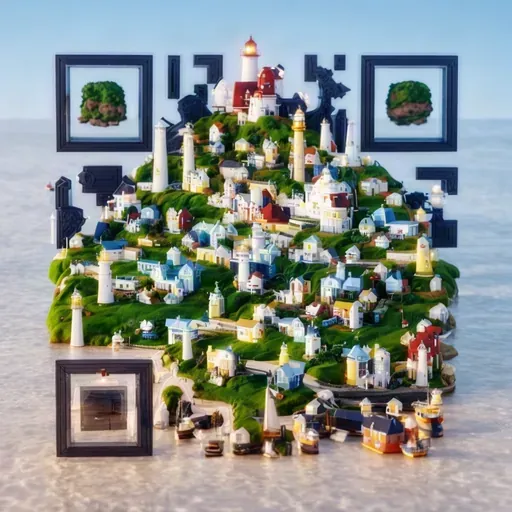
Standard codes are free and are the right choice for wristband tags, lanyards and wayfinding signs, where they need to scan quickly in a moving crowd. A logo code (1 credit) puts your event's mark on the programme and gate signage, so people know it's official. AI art codes (5 credits) can sit in a poster or a stage-screen holding slide in the style of the event artwork, as long as you test them at the size and distance they'll actually be seen.
Common questions
Can these codes be used as entry tickets?
No. Entry tickets need a unique code for every ticket, checked by a scanner against your ticketing system, and your ticket provider generates those. Scandalous codes are for information such as timetables, maps, Wi-Fi and links.
Can I change the timetable after the wristbands are printed?
Yes, as long as the code points to a timetable page you can edit. The code itself is fixed to that address, so change the page, not the link.
Will the codes work when the mobile signal is poor?
A Wi-Fi code joins a network without any mobile signal, and a text code shows its message on the phone with no connection at all. Link codes need data to open the page, so keep important pages light and have a printed site map at the info point.
Can I count how many people scanned the stage screen?
Scandalous doesn't record scans. Add a tag such as ?utm_source=stage_screen to the link and your website or app analytics will show those visits separately.
Do I have to make a code for every stage and zone by hand?
You can make them one by one in the app, and standard codes are free however many you need. If you use an AI assistant that supports MCP, you can connect it to Scandalous and ask it to make a code for each stage or zone.
your first code is free.
sign up with your email and start making codes. add a logo or ai art whenever you need it.
get in, it's free