QR codes for churches
Churches use QR codes to take people to the online giving page, send them to the livestream or last Sunday's sermon, and join groups in the church hall to the Wi-Fi. A code on a pew card or the notice sheet can also add the parish office to someone's contacts, start an email to volunteer for a rota or give wedding and funeral guests directions to the door. Every code is a shortcut to something the church already runs, like its website, giving platform or YouTube channel, and it keeps working for as long as that link does.
- Give onlineWith logo
- LivestreamStandard
- Hall Wi-FiStandard
Use cases
What to put in each code, and the generator that makes it.
- Website
Giving when nobody carries cash
The giving plate comes back lighter now that most people pay by card. A code on the pew card or by the door opens your online giving page, and many giving platforms ask for the Gift Aid declaration as part of the same donation. Keep the plate going round for those who prefer it.
Website QR code generator - YouTube
The livestream and sermon catch-up
Housebound members, people away for the weekend and anyone who missed a week can scan a code on the notice sheet or parish magazine to open your YouTube channel, with the livestream and past services in one place.
YouTube QR code generator - Wi-Fi
Wi-Fi for the hall and its hirers
Toddler groups, AA meetings and the Tuesday choir all ask for the Wi-Fi. A framed Wi-Fi code by the hall kitchen joins phones in one tap, so the password doesn't end up written on the noticeboard. Keep it to a guest network separate from the parish office.
Wi-Fi QR code generator - Email
Volunteering for the rota
An email code with the subject "Add me to the coffee rota" or "I can help with the flowers" opens a ready-to-send email to the rota organiser. It's one tap for the volunteer and the request arrives with their name and address attached.
Email QR code generator - Contact card
The parish office in their contacts
Put a contact card code in the welcome pack for newcomers and on banns and baptism paperwork. It saves the office phone number, email and address to the phone, so families can find you when they need to book a christening or arrange a funeral.
Contact card QR code generator - Google Maps
Directions for weddings and funerals
Many guests at a wedding or funeral have never been to the church before. A map code on the order of service, invitation or funeral notice opens Google Maps at your door, or at the car park if parking is round the back.
Google Maps QR code generator
Print and placement tips
How to size, place and print your codes so they scan first time.
- 01
Pew cards are read at arm's length
Someone holding a pew card or notice sheet reads it from about 30 to 40cm, so a code of 3cm square is enough. For the porch noticeboard or a sign by the door, read from a metre or two, go to 10cm or more.
Guide: What size should a QR code be? - 02
Allow for dark naves and candlelight
Old churches are dim, and evensong or a carol service by candlelight is darker still. Print dark codes on white or cream card with a matt finish, avoid placing them where a spotlight reflects off a laminated sheet, and test them in the building at the time of the service.
Guide: How to make a QR code that always scans - 03
Give the giving link a permanent home
A printed code can't be repointed, and churches change giving platforms more often than they reprint the welcome board. Point the code at a page on your own website, like yourchurch.org/give, and link from there to whichever platform you use this year.
Guide: Static vs dynamic QR codes: which should you use? - 04
Put codes where people wait
The best spots are the back of the notice sheet, the welcome table, the porch and the queue for coffee after the service. A line under each code, like "Scan to give" or "Watch online", tells people what they'll get.
- 05
Try it with the congregation you have
Before printing a few hundred cards, ask two or three members with older phones to scan the code. If it works for them it will work for everyone, and you'll find out whether a printed alternative is still needed alongside it.
Which style to choose
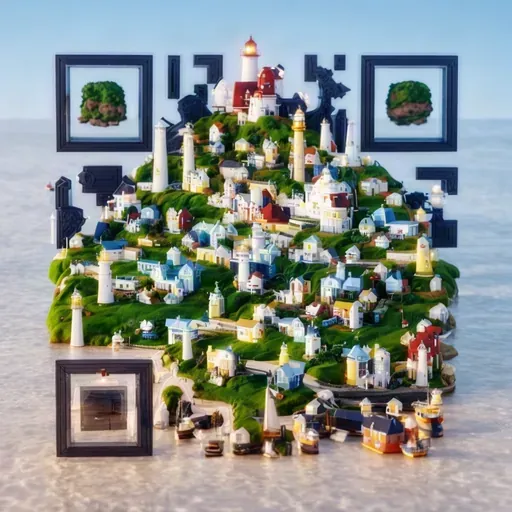
Standard codes are free and are all a pew card or notice sheet needs. A logo code (1 credit) with the church's emblem in the centre helps people trust the giving code, which matters on anything that takes money. AI art codes (5 credits) suit a Christmas or Easter poster or the cover of a building appeal, where a code drawn like stained glass or a watercolour of the tower catches the eye from the church gate.
Common questions
Can donations made through the code be Gift Aided?
The code only opens your giving page, so Gift Aid depends on the platform behind it. Most church giving platforms can collect the declaration when someone gives. Scandalous never handles donations or money.
Can Scandalous host our notice sheet or sermon recordings?
No. Scandalous makes the code, not the content. Put the notice sheet on your website and recordings on YouTube or a podcast host, then make a link code that points there.
Can we see how many people gave or watched through the code?
Scandalous doesn't track scans. Your giving platform will show donations, and adding a tag like ?utm_source=pewcard to the link lets your website analytics show visits from the code.
Will the code on our welcome board stop working?
No. Codes never expire and don't depend on Scandalous to keep working. As long as the link behind the code still works, so does the code.
Can the vicar, wardens and parish administrator all make codes?
Yes. Codes, logos and credits belong to an organization, so invite them and everyone can see, create, rename and delete the church's codes and share its credits. Only admins can buy credits or invite people.
your first code is free.
sign up with your email and start making codes. add a logo or ai art whenever you need it.
get in, it's free