QR codes for schools
Schools use QR codes on letters home and printed newsletters to open the parents' evening booking page, term dates or the parent app, and on signs at the school gate for clubs, fairs and open evenings. In the classroom, teachers use them for treasure hunts, reading lists and homework links that pupils open on class tablets. Scandalous doesn't record who scans a code, so the only data involved is whatever the linked page collects.
- Parents' eveningWith logo
- School officeStandard
- Report absenceStandard
Use cases
What to put in each code, and the generator that makes it.
- Website
Parents' evening slots from the letter home
Print a code on the letter that goes home in the book bag, linking to your parents' evening booking system, so parents can pick a slot at the kitchen table instead of retyping a long web address.
Website QR code generator - Contact card
The school office in every parent's phone
A contact card code in the new starters' welcome pack adds the office phone number, email and address to a parent's contacts, ready for the morning they need to ring in.
Contact card QR code generator - Email
Absence reports with the subject filled in
An email code on the fridge magnet or in the home-school diary opens a message to the attendance address with the subject already set, so parents only add their child's name, class and the reason.
Email QR code generator - Text
Classroom treasure hunts
Text codes hold a clue, question or answer in the code itself and need no internet connection to read, so they work on class tablets anywhere, including the playground on World Book Day.
Text QR code generator - Wi-Fi
Wi-Fi for supply teachers and governors
A Wi-Fi code in the staff room or meeting room gets supply teachers, governors and visiting speakers online. Use a guest network kept apart from pupil devices and the school's admin systems.
Wi-Fi QR code generator - App Store
Getting parents onto the school app
If messages, trip consent and dinner money go through a parent app, a code on the welcome letter and the reception noticeboard takes parents straight to the download.
App Store QR code generator
Print and placement tips
How to size, place and print your codes so they scan first time.
- 01
Copy letters from the original
Book bag letters often go through the photocopier in black and white, and a copy of a copy blurs the code. Print each batch from the original file, make the code at least 2.5cm, and keep it dark on white paper.
Guide: How to make a QR code that always scans - 02
Size gate signs for the pick-up crowd
A banner cable-tied to the railings is read from the pavement, 2 or 3 metres away, while parents wait for the bell. Make the code 20cm or more and print it on weatherproof vinyl.
Guide: What size should a QR code be? - 03
Link to the term dates page, not this year's PDF
Codes can't be changed after printing. Point the welcome pack code at a term dates page you update each year, and the same pack works for next September's starters too.
Guide: Static vs dynamic QR codes: which should you use? - 04
Keep pupils' details out of codes
Text, contact and email codes store their content in the pattern itself, and anyone who picks up a dropped sheet in the playground can read it. Never put a child's name, medical details or a link to anything about a named child in a code.
- 05
Hang classroom codes at tablet height
If pupils scan with class tablets, put display codes where they can reach without climbing on a chair, around a metre from the floor, and make them at least 3cm on an A4 sheet.
Which style to choose
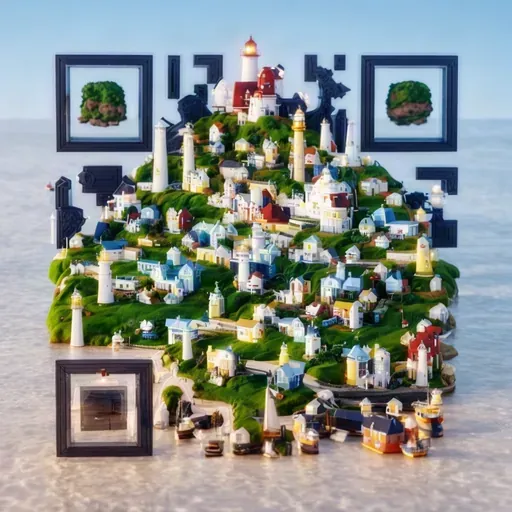
Standard codes are free and the safest choice for letters home, homework sheets and anything that goes through the photocopier. A logo code (1 credit) with the school crest in the middle suits the prospectus, open evening banners and gate signs, where parents should be able to tell at a glance that the code is the school's own. AI art codes (5 credits) are best kept for a summer fair poster or a production programme printed in colour, not for anything copied in black and white.
Common questions
Do the codes collect data about parents or pupils?
No. Scandalous codes are static and open the link or show the details directly, with no tracking in between. The page you link to may have its own cookies or analytics, so check it against your data protection policy as you would any link you send home.
Can we link to photos from the school trip?
Scandalous doesn't host photos, and a letter can end up anywhere once it leaves school. If you share photos of pupils, link only to a page that needs a parent login, such as your parent app, never an open album.
Should we put QR codes in our emailed newsletter?
There's little point, as parents reading on a phone can't scan their own screen. Use ordinary links in emails and save codes for anything printed: letters, posters, the prospectus and signs at the gate.
Can we reuse the same codes every year?
Yes. Codes never expire, so a code on the prospectus or welcome pack keeps working for as long as the page it links to stays at the same address.
Can we see how many parents booked from the letter?
Scandalous doesn't count scans. If the link goes to your own website, add a tag like ?utm_source=letter and your website analytics will show the visits that came from the letter.
your first code is free.
sign up with your email and start making codes. add a logo or ai art whenever you need it.
get in, it's free